
Want to download Instagram stories in India? Get safe, fast, and legal ways to save Instagram stories on Android, iPhone, or PC—step-by-step with trusted tools and tips.
Did you know? India has over 250 million active Instagram users, most of whom use Android devices. That’s why we’ll start with the easiest Android methods first.
You saw the perfect Instagram story,funny, emotional, or inspiring,but within 24 hours, it disappears. What if you could keep it forever? In this website igramworld story downloader shows you exactly how Indian users can download Instagram stories safely and easily in 2025.
There are several secure, legal, and quick ways to download Instagram stories in India,without breaking any rules or risking your account. Let’s go step-by-step, device-by-device, and platform-by-platform.
What Does “Instagram Story Download” Mean?
Instagram Story Download simply means saving an Instagram story (image or video) from the app onto your device for offline viewing or reuse.
You can:
- Save your own stories directly from Instagram.
- Save others’ stories (only with permission) using third-party tools or online downloaders.
How to Download Instagram Stories on Android
Follow these steps:
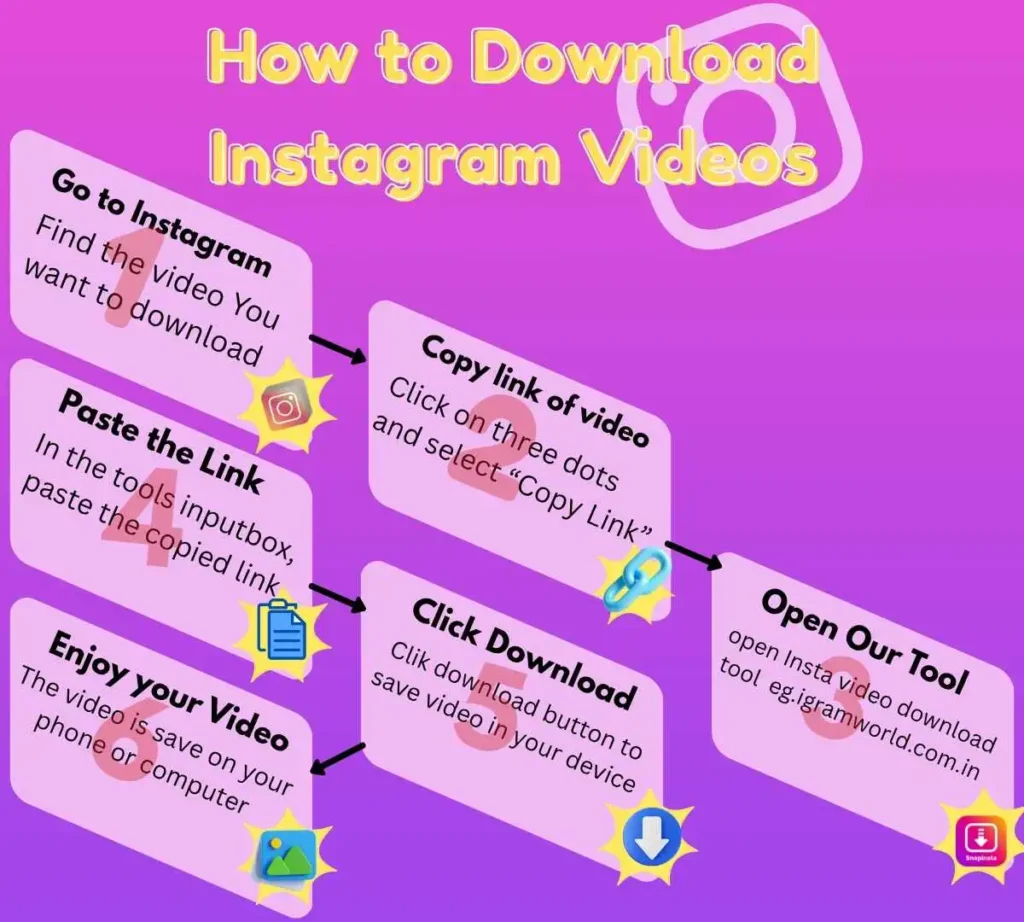
- Open Instagram → Tap on your story or someone’s public story.
- For your own story, tap the three dots ⋮ → “Save Photo” or “Save Video.”
- For others’ stories, use a web tool like igramworld.com.in.
- Copy the username or story URL.
- Paste it in the downloader → Click “Download.”
- File automatically saves to your phone’s gallery.
Pro Tip: Choose “HD” or “High Quality” mode in tools for better resolution.
How to Download Instagram Stories on iPhone (iOS)
- For your own story, open it → tap “More” → “Save to Camera Roll.”
- If you added music, Instagram might show: “Save without music?” → confirm.
- For public stories, use Safari browser → open an online downloader.
- Paste the story link and choose “Download MP4” or “Download Photo.”
How to Download Instagram Stories on PC or Laptop
For desktop users:
- Open Instagram in Chrome or Edge.
- Go to the user’s profile → View Story.
- Right-click → “Inspect” → find the story video link (advanced method).
- Or use tools like Instafinsta.com or Storysaver.net directly.
Save files in your “Downloads” folder and rename them for easier access (e.g., DiwaliStory2025.mp4).
Is It Legal to Download Instagram Stories in India?
Here’s the truth:
- Downloading your own stories = Yes 100% legal.
- Downloading others’ public stories = Allowed only with creator consent.
- Downloading private stories or reposting without permission = Not allowed.
Always respect privacy. If you want to share a saved story, tag and credit the original creator.